
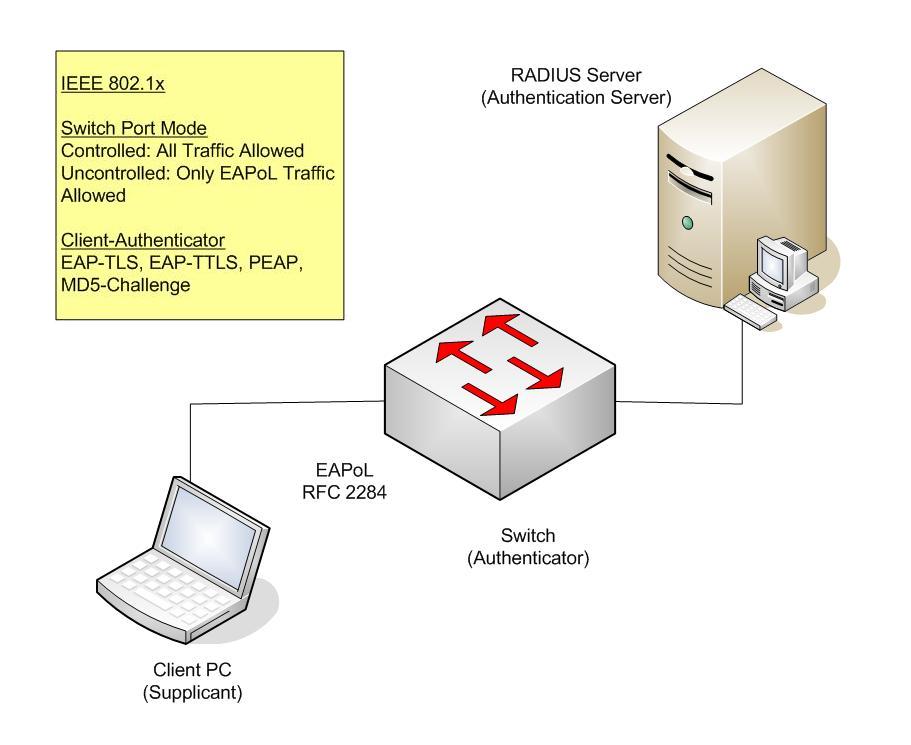
 You need to enable the RADIUS authentication on the switch first
BigIron(config)# aaa authentication dot1x default radiusThen you net to tell it the RADIUS server's IP and other parameters
radius-server host 209.157.22.99 auth-port 1812 acct-port 1813 default key abc123 dot1xNow let only one user has access to ethernet port "3/2"
BigIron(config)# int e 3/2Then enable the 802.1x on the switch, and enable multi-user policy
BigIron(config-if-e100-3/2)# port security
BigIron(config-port-security-e100-3/2)# maximum 2
BigIron(config-port-security-e100-3/2)# exit
BigIron#(config) dot1x enableAnd enable flow-based ACL
BigIron#(config-dot1x)# multi-user-policy enable
BigIron#(config) interface e 3/11Configure place holder ACL, just a fake ACL with fake IP in it to redirect the first packet of the session to the CPU
BigIron#(config-if-e1000-3/11)# ip access-group flow-mode
BigIron#(config-if-e1000-3/11)#exit
BigIron(config)# access-list 131 deny tcp host 1.1.1.1 any
BigIron(config)# access-list 131 deny udp host 1.1.1.1 any
BigIron(config)# access-list 131 deny icmp host 1.1.1.1 any
BigIron(config)# access-list 131 permit ip any anyBigIron(config) interface e 3/11
BigIron#(config-if-e1000-3/11)# ip access-group flow-mode
BigIron#(config-if-e1000-3/11)# ip access-group 131 in
BigIron#(config-if-e1000-3/11)# ip access-group 131 out
BigIron#(config-if-e1000-3/11)# exit
So, if the source MAC address of the flow is already associated with a successfully authenticated 802.1X host that has a dynamically assigned IP ACL applied to it, then that dynamically assigned IP ACL is applied to the flow. When a port is authenticated using 802.1X security, an IP ACL or MAC address filter that exists in the running-config on the Foundry device can be dynamically applied to the port. To do this, you configure the Filter-ID (type 11) attribute on the RADIUS server. The Filter-ID attribute specifies the name or number of the Foundry IP ACL or MAC address filter. For example, " ip.
So to configure a dynamic ACL to permit incoming traffic from 10.0.0.4 then add the following command to the switch: " access-list 2 permit host 10.0.0.4", and then make the RADIUS send the following attribute value " ip.2.in"
You may do the same but with a MAC filter by applying the following command on the switch: " mac filter 2 permit 3333.3333.3333 ffff.ffff.ffff any etype eq 0800" and let the RADIUS send this: " mac.2.in"
References:
Foundry, Configuring 802.1X Port Security
Foundry, Software-Based IP Access Control Lists (ACLs)
Tags: Networks, Security, Foundry, Gr33n Data

